- Buy an RG35XX here: https://amzn.to/3GSNUnU (AMAZON)
- https://anbernic.com/products/rg35xx?variant=43649446740225&sca_ref=2799956.dcIDVt7qXs&sca_source=GarlicOSreview (ANBERNIC)
- If you don’t find what you’re looking for, consider joining the Retro Handhelds Discord here: https://discord.gg/retrohandhelds
- INITIAL NOTES
- This video is a companion piece to RetroHandhelds and RetroGameCorp’s setup guides - I was knee deep in note taking for GarlicOS when they released their setup guides. So instead of wasting time on that, I am rather going to add some extra info that they never touched in their videos.
- Remember to support Black Seraph, the dev behind this project: https://www.patreon.com/blackseraph/GarlicOS
- I still don’t recommend this for newcomers since it’s still in development and has quite a few quirks.
- While stock firmware is possibly better right now in terms of ease of use, it will become the definitive OS for the RG35XX in a few weeks’ time.
- SETUP NOTES
- Use the 2 card setup
- Flash a small SD card with the main firmware (don’t bother expanding the partition)
- Add your bios files to the first SD card
- Then copy the ROMS folder system to a FAT32 64GB card as your ROMS SD card
- Again, for a detailed setup check out those other YouTube channels.
- INSTALLING ROMS
- Playstation will not work if your ROMS are in folders - I have removed all my ROMS from folders to be safe.
- Only use .CHD files for Playstation.
- INSTALLING BIOS FILES
- Remember to put the neogeo bios file, in the NEOGEO roms folder.
- Copy your bios files over to the ROMS partition on the firmware SD card (TF1). Go to CFW > retroarch > .retroarch > system and then copy all your bios files over (If you don’t see the .retroarch folder, just click on view>show>hidden items)
- Usually if you’re having problems with gameplay it’s either that your bios files are in the wrong place or you have a bad ROM file.
- MOST RECENT UPDATES 5 JAN 2023
- Favourites are in alphabetical order now
- Improvements to SNES performance (Different default core)
- VSYNC adjustments
- Integer scaling works properly now
- MY INTIAL SETUP TIPS
- If you want to try the Gamepad support - create a file called waitForUSB with no file extension and place it in the misc partition’s root folder.
- To create a file with no file extension open Notepad, go to file>save as, type “waitForUSB” (include quotation marks) as the filename and save this to the misc partition (TF1)
- If you’re having issues with performance or scaling, leave the scaling to default fullscreen mode.
- GBA: turn off full screen and set it to keep aspect ratio, filter - Grid3x and remember to save override to core or folder (more detail in my video).
- GB: remove fullscreen, set to integer scaling, video filter - Gameboy3x_DMG - you HAVE to save Content Directory override to avoid colouring GBC.
- GBC - fullscreen off, integer scaling on, video filter Grid3x
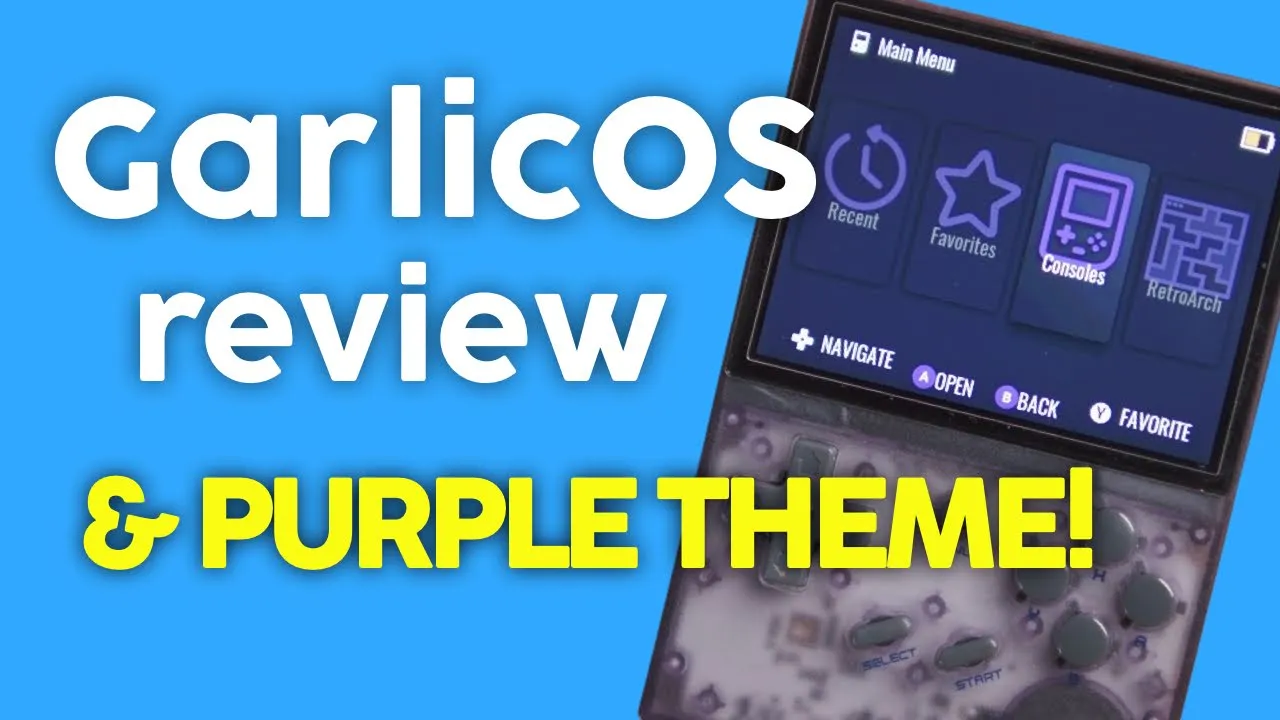
- MAKE IT PURPLE…
- Download OnionOS file system https://github.com/OnionUI/Onion
- CODE > .ZIP
- Unzip the file and go to static > build > miyoo > app > skin
- Copy all these items (except charging and power icons) to the ROMS partition of your firmware card (TF1) here CFW > skin and replace the files.
- YOU’RE DONE!
- HOTKEYS / SHORTCUTS:
- Combo keys are a bit fiddly
- Menu is supposed to exit game but usually it’s a double press
- Menu + volume = brightness
- Menu + X = retroarch
- Menu + R1 = R1,00 fast forward
- Menu + L1 = slow down
- Menu + R2 = save
- Menu + L2 = load save
- L1 / R1 to race through ROM lists
- GARLIC OS NOTES
- Here are my notes on the firmware as it stands on 5 Jan 2023
- All game systems work with some issues on Arcade, CPS and a bit of slow down /glitchiness here and there
- Charging icon is still stock and it’s ugly :-)
- Menu button now exits the game with a double press (I think it’s supposed to be a single press)
- Autosave - games start up where you last left them just like OnionOS. It also boots to the game you were playing when you pressed the power button. THIS IS EXCELLENT!
- Short press to power down the device, which acts as a full powersave mode since it reboots where you left off
- However timing on the button presses can leave you accidentally restarting the device.
- Sometimes the volume resets between games - I have a suspicion it’s saving the volume of each game
- Not all PS games work yet - you must use CHD files and your experience will be near flawless
- Battery drain still needs to be rated
- Double button presses? I am not sure if my rubber membrane is wearing in, but I never had double presses in stock firmware
- No boxart right now
- OnionOS folder system - so if you ever get lost just go to the OnionOS github for ROM and bios info
ROMS Systems
| System | Rom Folder (Case Sensitive) |
|---|---|
| Amiga | AMIGA |
| Amstrad CPC | CPC |
| Arcade (Mame 2003+) | ARCADE |
| Atari 2600 | ATARI |
| Atari 5200 | FIFTYTWOHUNDRED |
| Atari 7800 | SEVENTYEIGHTHUNDRED |
| Atari Lynx | LYNX |
| Bandai Sufami Turbo | SUFAMI |
| Bandai WonderSwan & Color | WS |
| Capcom Play System 1 | CPS1 |
| Capcom Play System 2 | CPS2 |
| Capcom Play System 3 | CPS3 |
| ColecoVision | COLECO |
| Fairchild Channel F | FAIRCHILD |
| Famicom Disk System | FDS |
| Game & Watch | GW |
| GCE Vectrex | VECTREX |
| Magnavox Odyssey 2 | ODYSSEY |
| Mattel Intellivision | INTELLIVISION |
| Mega Duck | MEGADUCK |
| MS-DOS | DOS |
| MSX - MSX2 | MSX |
| NEC SuperGrafx | SGFX |
| NEC TurboGrafx CD | PCECD |
| NEC TurboGrafx-16 | PCE |
| Nintendo Entertainment System | FC |
| Nintendo Game Boy | GB |
| Nintendo Game Boy Advance | GBA |
| Nintendo Game Boy Color | GBC |
| Nintendo Pokemini | POKE |
| Nintendo Satellaview | SATELLAVIEW |
| Nintendo Super Game Boy | SGB |
| Nintendo Super Nintendo | SFC |
| Nintendo Virtual Boy | VB |
| PICO-8 | PICO |
| Ports collection | PORTS |
| ScummVM | SCUMMVM |
| Sega 32X | THIRTYTWOX |
| Sega CD | SEGACD |
| Sega Game Gear | GG |
| Sega Genesis | MD |
| Sega Master System | MS |
| Sega SG-1000 | SEGASGONE |
| Sinclair ZX Spectrum | ZXS |
| SNK NeoGeo | NEOGEO |
| SNK NeoGeo CD | NEOCD |
| SNK NeoGeo Pocket & Color | NGP |
| Sony Playstation | PS |
| TIC-80 | TIC |
| VideoPac | VIDEOPAC |
| Watara Supervision | SUPERVISION |
Check here for bios files names: https://github.com/OnionUI/Onion/wiki/EmulatorsEmulators · OnionUI/Onion Wiki · GitHub