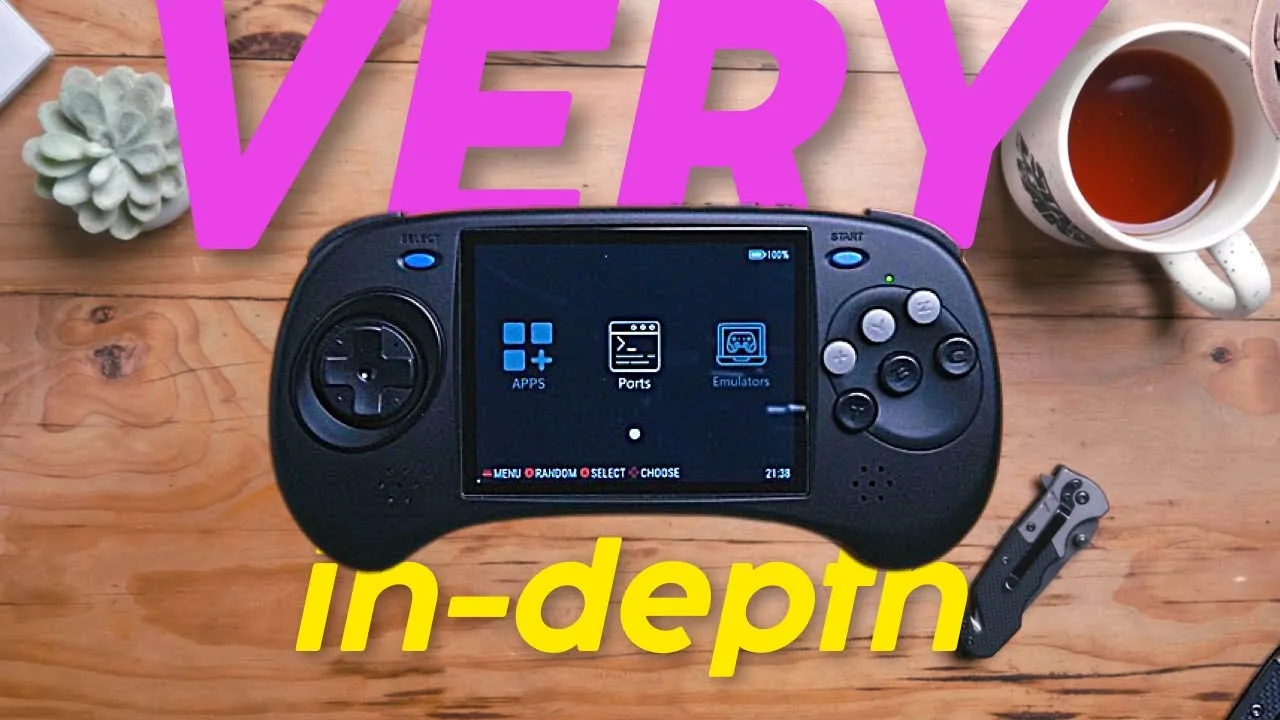
BUY THE ARC: https://shrsl.com/4cq2z
These are my actual notes, there may be minor spelling and grammar errors, but the content is the reasearch I put into the video on youtube.
Check out my Sega vs Nintendo spreadsheet: https://docs.google.com/spreadsheets/d/1KmnSWOqPPx9KLIcB8AnjdfoYRZe3Q9fRgzLl5rG6E78/edit?usp=sharing
INITIAL SETUP EXPERIENCE
- I am hoping I am not just getting used to these devices but they were already set up when they arrived
- Android - simply press the Game Mode button and pretty much everything works
- Linux is the easiest with everything ready to go immediately
- I had to update my firmware for Linux to run a bit better but I did get mine sent from Anbernic at Launch
- So for the easiest system go for Linux… it’s also cheaper but watch the Linux section for some of the shortcomings
- I had to change MD emulator on Android Console Option > Input Ports > Auto - 6 Button Gamepad
- Shaders, filters and overlays are already done! - cycle through some systems with overlays and filters
- You can “hack” the controls for games that use a joystick by mapping some of the dpad controls to the extra face buttons and shoulder buttons. God of War for example can have two of the dpad controls on maybe Z and C and the the other two can be on L2 and R2 - show this in action
ANDROID
- No playstore or google services
- Pro: better performance on this low end chip
- Con: difficult to integrate with you Google apps however you should get most things on Aurora - try installing Spotify
- Installed Aurora Store so I could download my paid version of PPSSPP gold, and my other paid apps, but I think I am going to put GammaOS on here or wait for a final CFW Linux build
- See if I can get google play services
- Can’t play alot of Android games
- Although this Android build is okay I would opt for GammaOS but there is quite a setup if you’re up to it - video on the way
- GammaOS - does some of the setup for you, may have performance improvements
- https://github.com/TheGammaSqueeze/GammaOS-RK3566
- Includes Google Play
LINUX
- Anbernic’s best Linux build yet
- Lends some GarlicOS concepts
- Retroarch is separate from other emulators, and games are organized accordingly
- I like the overlay for MD in linux
- Very nice overlay for PSP aswell
- Shortcuts:
- Brightness: F + Volume +/-
- Power down: press and hold power until you see a prompt
- In-game menu: F
- PROBLEMS WITH THE STOCK LINUX:
- No scraping?! https://www.skraper.net/ - just make sure if you add ROMS to have the images labeled the same as the ROM and placed in the correct folder.
- No OTA updates, I really hope this gets fixed
- Can’t customise controls for Dreamcast in the standalone emulator, I tried to do this in RetroArch but without a touchscreen I couldn’t get it right (I got this going in Android, though)
- No way of exiting an N64 game except pressing and holding the power button. But RetroArch works fine for N64 but you may run into trouble with higher end games
- Sega Saturn - emulator menu is mapped to select button, emulator includes saves
- UPDATING ANBERNIC FIRMWARE:
- I HAVE INCLUDED ANBERNIC LINUX UPDATE INSTRUCTIONS ON MY SHOWNOTES ON MY WEBSITE
- Download from: https://win.anbernic.com/download/289.html
- Extract the file using 7zip: https://www.7-zip.org/download.html
- Burn the ISO file to your SD card using Win32 Disk Imager (Balena Etcher doesn’t work): https://win32diskimager.org/
- OR Rasberry Pi Imager for Mac shouold work: https://github.com/raspberrypi/rpi-imager/releases
- Make sure your Roms sd card is in TF2
- Power off your device and insert the SD card into TF1 and then power on the device, it will run an update script, Press B for English or A for Chinese
- Your device will restart
- Press start > Games Settings > Update Games List
- You’re all set
- NEW FEATURES
- Power down option by pressing power
- Volume indicator
- Retro Arena Installation
- Get it here (beta release): https://drive.google.com/drive/folders/10N0V3K-6Q4GS0lPfVbcR1eG27Feylqk2
- I wouldn’t recommend this installation at this stage but I am leaving it here for the early adopters :-)
- I am sure more Custom Firmware will be available soon, so at this point I feel its better to deal with the shortcomings of the Anbernic Linux system, I kinda like it warts and all!
PREPARING SATURN ROMS (OR ANY CD SYSTEM ROM)
- Download CHD man: https://wiki.recalbox.com/en/tutorials/utilities/rom-conversion/chdman
- Uncompress the CHDMAN zip file to somewhere like your documents folder
- But keep the zip file just in case (there’s a high risk of accidentally deleting the system files)
- Drag your bin and cue files for all your games (not too many at a time or it will take VERY long - maybe to 5 - 10 at a time)
- Double click on the CUE-GDI-ISO to CHD.bat file
- The process will start and export the .CHD files to the CHDMAN folder
- Move your new CHD files to a safe place
- Delete the rest (DON’T delete the CHD man files!)
- That’s it!
GENERAL GAMEPLAY
Gameplay is more of a showcase rather than performance test - due to the button layout some games just don’t work. You can map them but I doubt people want to be mapping every game. We will focus on Dreamcast and Saturn.
-
DREAMCAST - linux
- The controls seem to be mapped for the games provided and you arent able to map them for anything else - to be more flexible you’ll need the Android version - but there are so many other games to play it’s a pretty decent compromise
- ON ANDROID you will have some freedom to map controls if you want
- Only utilised a 4 button setup
- Capcom vs SNK Millinium Fight 2000 works very well
- Capcom vs SNK 2 Millionaire Fighting plays really well
- Capcom vs snk 2000 also works very well
- Crazy Taxi plays fine but music stutters
- Crazy Taxi 2 plays well but music stutters
- Ecco the dolphin - defender of the future - some audio stutter, but controls don’t work - it plays well in Saturn and you can remap controls there
- Fatal Fury Mark of the Wolves - fighting game - really cool fighting game - 4 button layout-plays well
- Frogger 2 - Swampy’s Revenge - a really fun 3d platform - plays well
- Gauntlet legends - plays with no audio
- Golf Shiyouyo plays well
- Heavy metal - geomatrix - 3d fighter with guns - plays well
- King of fighters dream match 1999 - plays well
- Mag force racing - controls don’t work and there’s no audio
- Marvel vs capcom - clash of super heroes - plays very well
- Ms Pac-Man - plays well
- NBA 2K - lots of audio stutter in cut pieces - too much stutter and controls don’t work
- NBA 2K2 - same as above
- Re-volt - plays well - very cool RC car racing game
- Ready 2 rumble boxing - plays well - controls work
- Rippin riders - snowboarding game - plays well
- Sega GT - plays surprisingly well
- Sega rally - no sound
- Sega Rally 2 - massive audio stutter - does not play
- Sonic Adventure (my ROM) 2 dpad not mapped
- Sonic adventure dpad not mapped
- Soulcalibur plays well
- Soulcalibur 2 works well
- Star Wars Episode 1 Jedi Power Battles plays fine
- Street Fighter Alpha 3 plays very well
- Street fighter Alpha III Third Strike - really nice version of street fighter - shoryukens were quite easy with Ken on this
- Super Street Fighter II X (JAPAN) more classic s
- tyle street fighter plays perfectly
- Tech Romancer good lord what a cool game! It was released late to the US and EU and is a blast with robots fighting with rockets and flames. Where has this game been all my life!
- Tennis 2K2 quite a lot of slow down but the buttons work so if you want to try tweak it you can but I doubt it will work very well - try on Android
- Test Drive V Rally plays well and uses shoulder buttons which takes a bit of getting used to but this form factor is perfect for it
- The last blade 2 - The heart of the samurai - very cool japanese swordfighting game - plays well
- TNN Motorsports Hardcore Heat - a dirt road racing game, works well with these controls. Steering isnt super responsive which works well for a dpad
- Tony Hawk’s Pro skater 2 - a little bit of stutter in the beginning but plays wellgjhg
- Virtua Fighter plays well
- Virtua Tennis Sega Pro - stutter in intro, plays okay - better than 2K
- Zen-Nippon Pro Wrestling - pretty cool japanese wrestling game and plays well
- Zombie Revenge - pretty cool zombie game and plays well
-
SEGA SATURN (on Linux)
- Used mostly european versions
- Astal is a SEGA original, it plays well and is great alternative platformer
- Bug! Is a comical 3d platformer that plays well
- Bulk Slash is a japan only release, it’s quite hard to play but pretty cool, you can transform into a jet and you need to shoot stuff
- Burning rangers started up but then crashed
- Daytona USA - plays well
- Die Hard arcade makes use of three buttons and is a pretty cool 3d beat em up - it’s pretty violent!
- Dragon Force is a strategy based RPG that seems to be working fine
- Duke Nukem 3D - actually seems to play well
- Galactic Attack is a very nice airplane shooter but needs a bigger screen
- Guardian Heroes is a pretty complex beat em up with swords and magic
- Manx TT - pretty cool biking game that works well
- NBA Action - couldn’t play due to mapping
- Nights into dreams - seems to be playing well and is quite a disorienting action RPG
- Saturn Bomberman - works well and could be a nice one to play via hdmi
- Sega Rally Championship - works well - just strange blue artifacts in the render
- Shining the Holy Ark - RPG - poor man’s Zelda! Seems to be playing well
- Sonic Flickies Island plays well
- Sonic R works well but I just don’t like this game
- Street Fighter the movie - nice because it uses all the buttons
- Street Fighter Alpha 2 is exceptional and uses all the buttons
- Street Racer is quite a fun cart racing game - actually uses 6 buttons
- Virtua fighter is a night 3d fighter that uses 3 buttons and works well
- World hero perfect loaded fine but the characters didn’t render
- x-men children of the Atom did not load
- x-men vs street fighter played but the audio went berzerk